
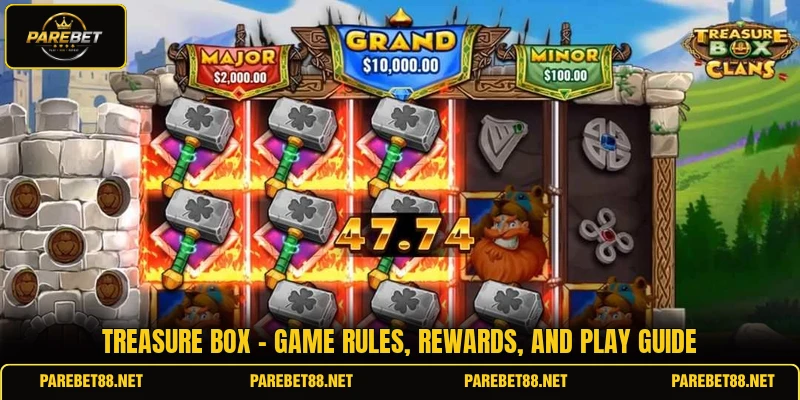
Treasure Box gives members a format built around choosing concealed boxes, reading the paytable, and following each round until the reward appears. At PAREBET, the game may show PHP or USD values according to account settings and the available room. This guide is written for members who need clear rules, useful selection methods, and a better understanding of each screen before placing a stake.
A clear introduction to the activity Treasure Box
The main screen presents closed boxes, a stake field, a round button, and a reward table explaining values before a choice is confirmed. Treasure Box uses hidden outcomes, so members can view the prize range without knowing which container holds a specific amount. The design keeps attention on the box grid, stake, possible multiplier, and a bonus symbol beside regular reward values.
PAREBET places the title inside its betting platform, where currency and room settings determine whether figures appear in PHP or USD. A round begins after the stake is accepted, then the interface reveals results under the rules displayed in the active version. Because layouts can differ, members should read the paytable and instructions before using any button that confirms a paid action.

How the main regulations shape each round
Treasure Box follows a fixed screen sequence, although box numbers, reward values, and special symbols may change between versions or rooms. Members should rely on the active paytable because it defines outcomes, reveal conditions, and limits connected with bonus features.
Reading the shown reward table
The reward table lists cash values, multipliers, free selections, or special icons that may appear after a box is opened. Members should compare these entries with the chosen stake, since a multiplier usually applies to the accepted amount rather than an unrelated figure. PHP rooms may show PHP 20, PHP 50, or PHP 100, while USD rooms can present permitted values.
The table explains whether matching symbols create an extra reward, unlock another pick, or end the sequence immediately. A clear reading prevents confusion when one symbol changes the next action instead of paying cash. Members should check whether the displayed maximum is a top outcome or a guaranteed value, because those descriptions differ.
Following the Treasure Box unveil order
A standard reveal begins when the accepted stake is deducted and the box grid becomes active for selection. Treasure Box may allow one choice, several choices, or an automatic reveal, depending on the version shown. Members should wait until the animation finishes because pressing other controls can interrupt their understanding of the completed outcome.
After the reveal, the interface records the result in history or a balance update before another round begins. This record helps members confirm whether a reward was added, a bonus remains active, and the previous stake matched the intended amount. If the screen shows a continuing feature, the next choice should follow those instructions instead of starting an unrelated paid round.
Understanding extra and multiplier symbols
Bonus symbols can trigger extra boxes, repeated reveals, locked rewards, or an action defined in the game rules. A multiplier changes a winning value, but its exact effect depends on whether it applies before, during, or after the reveal. Members should not assume every bonus creates a cash payment, because some icons open a second stage with separate conditions.
View more: Coin Miner – A Clear Guide To Digging Rewards Online
The best approach is to match each icon with its written description before the first paid selection. If a symbol displays x2, x5, or x10, members should confirm which stake or reward receives that multiplier and whether a cap applies. Within Treasure Box, written payment conditions matter more than color, sound, or animation because visual effects do not define the result.

Better ways to select boxes and rooms
Choices in Treasure Box should focus on screen information, room conditions, and confirmed rules rather than claims about hidden patterns. These approaches help members make orderly decisions without suggesting that any box position guarantees a result.
Checking wager and currency settings
Before opening a box, members should verify whether the account shows PHP or USD and confirm that the amount matches the intended paid action. A figure such as 50 can represent different values when the currency label changes, so the currency symbol must be checked carefully. Members should review minimum and maximum limits because room access can affect which stake buttons remain available.
The active balance should be compared with the displayed cost before confirmation, especially after switching rooms or returning from another game. This check reduces accidental selections caused by a remembered amount that no longer matches the current screen. When preset buttons are available, members can choose a listed figure instead of entering an unsupported number that the interface may reject.
Comparing hand-picked and automatic choices
Manual selection lets members choose a visible box position, while an automatic option allows the system to complete the choice through its programmed process. Neither method changes the reward table unless the rules clearly state a separate feature for that mode. Members should choose the control style that makes each result easy to follow and verify.
Automatic play may repeat paid actions, so its round count, stop conditions, and stake amount require review before activation. Manual play creates a pause between outcomes, which can make history checks and bonus instructions easier to read. In Treasure Box, the selected mode should match the controls shown in the current room rather than assumptions from another version.
Reviewing room restrictions before entry
Different rooms can present separate stake ranges, reward ceilings, box counts, or entry conditions, even when its name remains unchanged. Members should compare these details before entering because a higher room does not automatically mean a better result. The suitable choice is the room whose rules, currency, and stake buttons match the intended session.
Room labels may use terms such as standard, premium, quick, or bonus, but those names do not explain every condition. Members should open the information panel and check the minimum stake, maximum reward, feature rules, and the required balance. Treasure Box becomes easier to follow when the room is selected from written conditions rather than animation style or promotional labels.

View more Category: Arcade
Conclusion
Treasure Box offers a simple box-selection format, but every paid round should follow the displayed stake, reward table, currency label, and reveal instructions. Members using PAREBET can review each room, confirm PHP or USD values, and read bonus conditions before choosing a box. Register, open the game on the app, check the current rules, and may every selection bring a clear result and good luck.